


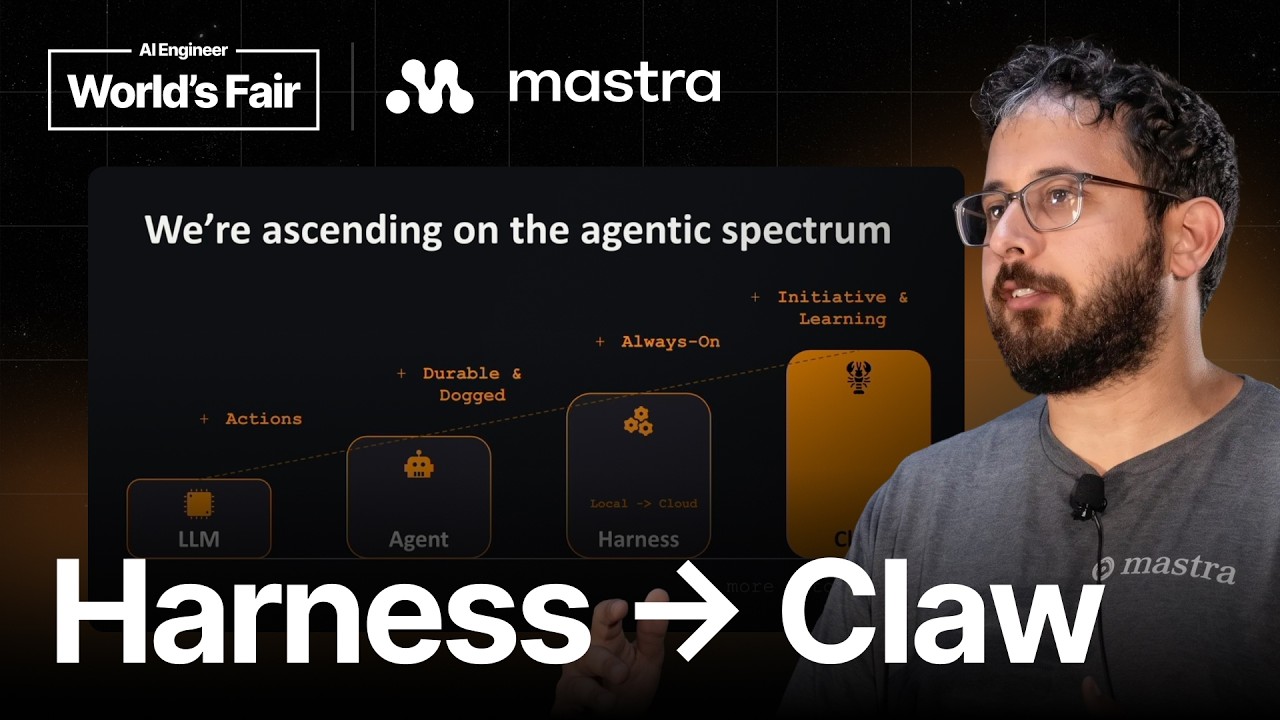


Intro0:00
Thank you for taking the time for coming over here. I'm Francesco, I'm the CEO of the company. Alongside me, a couple of other folks: my CTO, Dilon, and my Chief of Infra, Rob. They're going to walk on the stage in a while.
But before we do that, who's excited for some computer-using agent talk happening now? Are you guys excited? Lovely. If I were to ask, like, what was a computer-using agent like one year ago, probably half the crowd would say, "I don't have any idea what really computer use means."
So today I'm going to take you through a journey. Basically, like, from our vision, where we come from so far on computer use, like, this new shape of, like, agents that are talking and up to model intelligence.
So we're going to start, like, with the vision of Cua driver, where we're coming from. And
if you--how many of you guys have been working with computer use for one year? How about, like, three years? Lovely. Okay. So our team has plenty of experience. Like, we go all the way back, our time at Microsoft, we were working on this type of GUI agents, we were calling them back in the days.
And there
is an example of, like, old-fashioned human-agent loop. We basically refer to this as a human loop, where you will have, like, an agent loop, you will have a--you will take a screenshot that the agents will have to reason and plan through, and then you will basically work with an action space in terms of, like, clicking, typing, scrolling around.
So this is what we refer as
the old-fashioned, like, computer use 1.0, just to set the tone
for this talk. And we come, like, along, like, ways since this type of, like, computer-using agents. So this is, again, like, I'm going to skim over these slides, but that's, like, the old-fashioned way of, like, representing this agents loop as a human would do.
We--here we go. Over, like, two months ago, we released a project in the open source. It's called Cua driver. And
Cua Driver2:36
we made it working, like, in the background. That means that your computer user will not take over your screen as, like, the computer use 1.0 kind of, like, agent loop was doing back in the days. And it all, like, started
from, like, from Codex releasing their computer use model two months ago. So we kind of, like, take the challenge because we were already, like, working with this type of background computer user. So over one weekend, we asked something together.
And the trick here is really not, like, having your agents, like, take over your screen. So there is a lot of, like, dark magic, like, happening behind the world just to give you some context. There are, like, some undocumented API living in the Apple framework that basically ships with your laptop.
And as you can see here, like, as in the demo, you have, like, an AI agent that is not taking over control over your laptop. We made it working not only for macOS, but also spanning, like, across Windows and Linux.
We were--theis is, like, the very first, like, driver that is living on your laptop, and it lets really any AI agents connect to the underlying operating system, either, like, using accessibility trees or, like, a screenshot-level approach. We kind of, like, take all both.
This is what really the agency for what it concerns. You will have to install Cua driver. The agents will take a snapshot of the window state, and you will have to observe. And we really, like,
take, like, one, like, different, like, action path to really make background computer use happening. So you really have to observe the space. In this case, just by calling, like, get window state, you get an accessibility tree representation plus a screenshot.
And then you will go and
try a background execution using accessibility tree. And if that doesn't work, we go all the way and make the heavy lifting for you and just try a pixel background click. This is, like,
kind of, like, best step for background at this stage. It's not, like, behaving the same way on macOS, Windows, and Linux. So we do, like, some of the heavy lifting for you so that your AI agent can run undisturbed on your MacBook.
How we manage, like, to not break anything between, like, release cycles.
We have, like, a lot of investment happening behind the scene when we test, like, new releases. We have about, like, eight different
application harnesses
that we use for making sure that we don't break anything among different releases. Among our early adopters, you can see, like, Clicky, Hermes, Quencode, H Company, and Droid Factory. Like, huge thanks to them for using Cua driver and, like, basically releasing a lot of, like, upstream contribution in our framework.
Without further ado, I'm just going to move to the next part of the presentation, which is going to be intelligence. And I'm going to have our CTO, Dilon, cover that.
CuaBench6:24
Hello. So thank you, Francesco. With Cua driver, we gave an agent hands. But then the question becomes, how can you trust the agent to use those hands correctly and not leave anything broken behind? And to answer that, we had to build CuaBench.
So for a show of hands, who here has heard of Terminal Bench or Harbor? Yeah. So a few of you have heard of it. And if you've ever authored a task for Terminal Bench, then this might look familiar.
But in CuaBench, a task is made of three pieces: the setup function, which sets up the machine to initial state; the oracle function, which provides a golden trajectory for the task; and the evaluator, which probes the environment to check if the agent successfully completed the task.
Unlike Terminal Bench, the oracle here is GUI actions, so it looks kind of like PyAutoGUI when you write that. And writing environments takes skill and expertise. On desktop, there's more than five platforms that we target, and we try to collapse that into a single Python file.
So using the CuaBench SDK, you can write a GUI that works across every desktop platform in a single Python file and use the same SDK to probe that GUI to get usable agent data. Anyone or any agent can author one of these tasks.
And when you put that to work, you get a real catalog. We have currently over 130 verifiable tasks, 42 environments, and across five platforms. And each of these are easily reproducible using our CLI. And the latest addition to our datasets is one that we're proud of.
With collaboration with Snorkel AI, we built CuaBench KiCad, which tests computer use agents on electrical engineering tasks using software by real professionals and evaluator functions that actually simulate the circuits. But the results are humbling. The top agent that we tested only got a full pass on six out of 25 of these tasks.
Of those six, 100% of them involved editing an existing schematic. And when we start the task from a blank schematic, the success rate drops to 0%.
And across all the models that we tested, the leaderboard is flat. No model has achieved more than 30% reward.
But once you can score something, you can improve it. If we take a look at the CuaBench basic dataset, scale it up to 4K resolution, testing an agent, they typically get around 62% pass rate. But when you switch the agent computer tool from the built-in one to Cua driver, the pass rate jumps from 62% to 80% using 34% less tokens.
And this is primarily because Cua driver focuses on a window rather than the entire desktop.
But our evals might say you can trust model XYZ at task whatever. But how can you know that the task--how can you know that the eval can be trusted? So before we test a task against any agent, we first try to break the environment ourselves.
We have a matrix of agents attempting to do reward hacking and attempting to break the environment. And we take all that data and we compile it into a nice code rabbit-style code review. And only tasks that survive our pipeline can enter the dataset.
And if you ask us how we trust that agent, the answer is that it's just evals all the way down. But to measure the intelligence of an agent, you can't just measure its ability to successfully perform actions. You also have to measure its ability to understand the world that it's operating in.
Every run that we record can be forked through any moment in its trajectory to give you the state of the computer at that moment. From there, we can probe a model asking it to predict the reward, the internal state, or any other observation of the computer, and compare it against the fork.
CuaFleet10:41
And that prediction is the world model of the agent made measurable. And with that, I'll let Robert take the stage.
Thank you, Dilon. Hello, everybody. I am the Chief Infra Officer at Cua, and I'm here to talk to you about how you're probably leaving a lot of money on the table with idle GPUs if you do RL training for computer use agents.
So I kind of want to introduce this diagram to y'all. Could I get, like, is there, like, general familiarity with this diagram, or is this, like, something that most of us haven't seen before? Like, anyone? Awesome. Very niche.
Almost everything on this is not really important for what we're talking about, but the blue portions are. And what those basically represent are GPUs generating tokens for RL training. And if you zoom in on this a little bit, you can kind of see, like, how this typically looks, like, with a sandbox environment is you're going to be generating some tokens, and then you finish your task on a sandbox, and then you're waiting for either, like, a new sandbox to spin up or for your existing one to reset.
The problem here is that, like, this is just pure cost. Your GPU really isn't doing anything useful here. And, you know, I don't know if you've heard, but GPU time is pretty expensiveright now. So as you're scaling, this cost really compounds a lot, and you really want to focus on minimizing this if possible.
So one thing that you might try to do is minimize the startup time of your sandbox. And, I mean, you should do that. Like, that's a great thing to do. But, you know, especially for computer use style environments, sometimes this can be a little bit impractical.
You know, your researchers might give you, like, a 40-gigabyte environment, and that might just be necessary, and it takes a long time to pull that down and start it up. So, you know, how do you design your training infrastructure so that you can minimize the GPU startup or minimize the startup time of the sandbox even when the sandbox is, like, not well designed to be startup quickly?
So the way we do this--ahead, man, this is a nightmare. So the way we do this is a pool. And this is supposed to be animated, but it's not animating. So I guess I'll just explain to you orally.
And what that is, is so we have, like, a set of GPUs here, which all want to use a sandbox. And what we will do is that we use a demand-based autoscaler to detect how many GPUs, like, currently need a sandbox, and we can grow the pool to be that size on demand.
And what that means is that if you have--let's say, like, you have a warm pool that you want to allocate to your GPU cluster, you don't actually need to know upfront what that warm pool size is. We can figure out what that warm pool size should be for you on demand.
And that might even change over the course of your multi-day training run. You might start needing a lot of sandboxes, but then as your generations get longer, you might need less. So these also could be, like, you know, easily two to four times cheaper than your GPUs.
So having a little bit of redundancy here, you still wind up saving money because you're maximizing the use of your GPU time. Yeah. Come see me after if you want to see the animation because it's cool. So, yeah.
So now when you have, like, this, like, redundancy in your pool, you're paying the cost of that startup time on the infrastructure side, not on the GPU side. So your GPU workers have full utilization.
Yeah. And then because we use this, we can give you instant sandboxes for your GPUs for Windows, Linux, Android, and macOS is coming up. And I'm going to hand it back to Francesco to close it out for us.
Q&A15:03
Lovely. Thank you, Dilon. Thank you, Rob, for taking this over. We do have, like, plenty of time for Q&A. So if you guys, like, have any questions, like, happy to take them, either for Cua driver, CuaBench, basically what Dilon presented, or CuaFleet, which is, like, what Robert covered.
Any questions? Otherwise, we can wrap this up. Oh, I see.
Would it be possible to operate, like, computer use agents in the background? I know you do this for Mac.
Mm-hmm.
Like, something like a mobile?
So the story for mobile Android, there is very far you can go. We are talking with the admins team because they do have, like, an harness that runs on Android. I guess, like, if you're talking about background, there is some level of, like, background that can happen if you containerize a workload.
And basically, on Android, you can even, like, run your own container or, like, sort of, like, Ubuntu or, like, GUI Docker container within Android. But, yeah, the Android ecosystem, especially compared to iOS, is more inclined to that form of, like, background computer use.
But it's more towards, like, tool use than really, like, controlling GUI interface. We work with the activity framework and do tool use in the background.
Cool. Thank you, guys.