



Vibe Coding0:00
We have Vibe Coding at Scale. It's a talk I'm going to give at the expo, in a very short version, without all the hands-on stuff. So this is whatever how long this will take. It's all about Vibe Coding.
So we're going to give fully in to the vibes, embrace exponential, and forget that code exists.
It is about focusing on the output and not actually on the code. And that's where people disagree. Like, if I don't look at my code, as an engineer, what am I? And what does even embracing exponentials mean in this case?
And we're going to get into that. But we're definitely going to forget that code exists. And I think at the Anthropic conference two weeks ago was a great chart of how exponentially agents run longer and longer and generate more and more code.
So slowly forgetting that code exists, and you want to review every piece of code, but building trust and adding guardrails to the AI is what this talk is about. And this Vibe Coding journey starts kind of initially what most people saw, just like, I build an app in just one day, and I put it online, and I made money, and then things happened to the app, and things got leaked, and things were no longer fun.
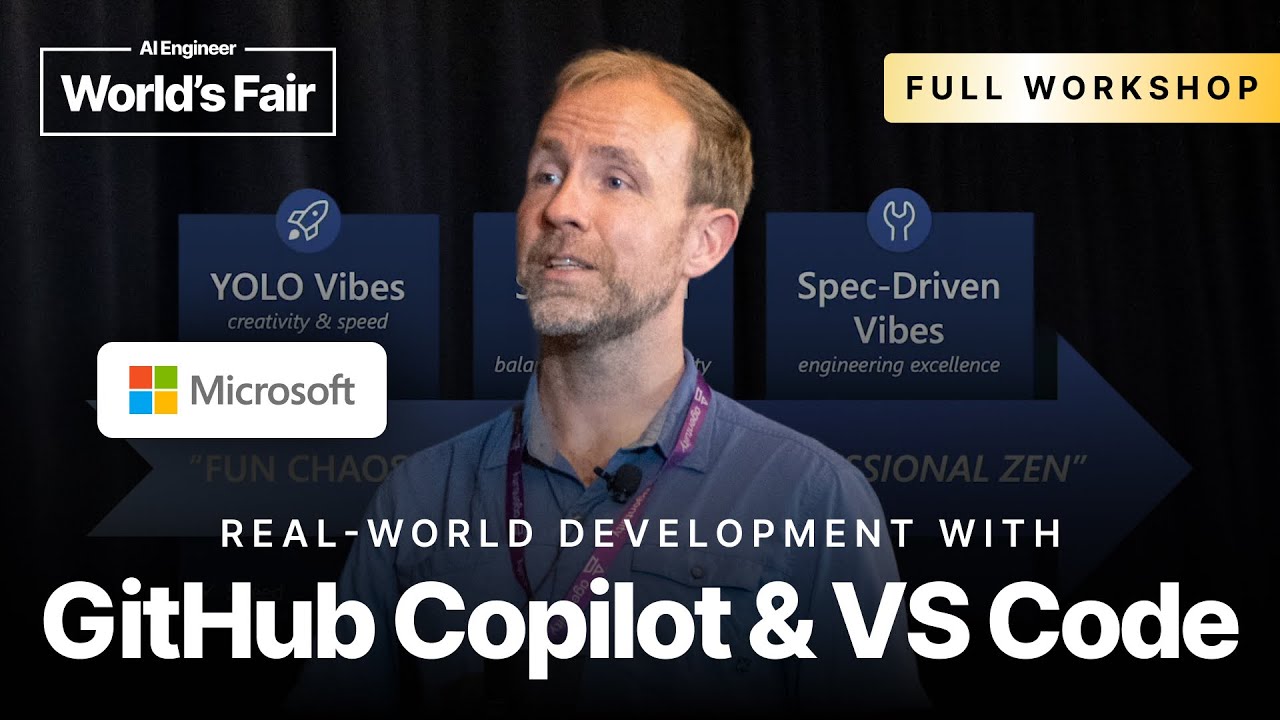
And that's that fun chaos state of Vibe Coding. And we're trying to move to professionals then. And that initial state is what I'm now terming YOLO vibes. It's the unofficial wording, but it's all about creativity and speed. And it's a good place to be.
There is instant gratification. It's getting things up. It's about learning. It's not about shipping products. And so we need to get there. Second stage is structured vibes. It's all about balance and sustainability. How do you bring maintainability, more readable code, things you might actually somebody in the end might want to read that code, and you'll have a handover to somebody else.
And you want to have some quality control that what you built is maintainable and not just a throwaway project. And lastly, we get to spectrum vibes. And if you have done anything on Reddit or on blogs in the past, then you past few weeks, you've probably seen people sharing their kind of best practices.
This is how I finally got good value out of AI. And those best practices are emerging, but they bring you that scale, reliability, and velocity that comes with that, while still hopefully giving you some speed and gratification along the way, but reducing that chaos while maybe keeping the fun.
So Vibe Coding, initially, where we see this outcome first, as I said, it's all about you don't even want to look at the code. If you're in an editor, and I see actually people framing their experience in AI editors of low code mode.
So they just look at the chat panel and look at whatever comes out of it, and that's the outcome first. It's all about natural language. It's all about just staying in the flow and working with the AI. And it's about auto-accepting changes.
So until it maybe no longer works, we might want to undo, but otherwise, we just keep talking to the AI. No, you did this wrong. Try again.
Fix it or go to jail is a very popular one. So you can try all kinds of but stay in natural language. Don't be too specific. So there is a use case for that, though. You want to get a sense for YOLO Vibe Coding for rapid prototyping, for proof of concepts where you just want to get something out.
And that's where I actually have a ton of conversations with larger companies who start a conversation like, how can we do Vibe Coding? And for them, it's all about getting people who are non-technical to be able to communicate ideas.
It's about UX people just making a mock-up and being able to bring that to a meeting and being able to communicate what they want to do in the mock-up. It's all about learning.
Two weeks ago, I had one hour of Vibe Coding on stage live, and people built games. And I used Three.js, which I have tried many years ago, but I haven't used Three.js in a while. But once I got the code running, I could start getting into how it is structured, how does it make shapes, and I could actually understand technology because I have something working.
And that's really the power of getting something up and running that gives you the technology, something hands-on to actually try out. And of course, personal projects. So I'm sure how many of you had sit down with somebody who's non-technical and showed them Vibe Coding and just built your water tracking app, or you built something with your kids.
There's all kinds of personal projects you can now finally solve over the weekend thanks to YOLO Vibe Coding. So let's do some YOLO Vibe Coding. This is AI generated. So the images do reflect the vibe. So this is really about voice input, relaxing.
I guess coffee is in there as well. But let's get it going.
OK. So in VS Code for YOLO Vibe Coding, we're going to start with an empty VS Code. So hit Command-Shift-N. Sorry?
YOLO Demo5:31
Are we supposed to use Insiders if you want?
I might show off Insider stuff, but all of what I'm showing is also in Stable. If you have Insiders, use Insiders. Insiders is the pre-release version of VS Code that ships on a daily basis, like Firefox nightly, Chrome Canary dev ships nightly.
So on your left side, you will have No Folder open. On yourright side, you will have Copilot open. Everybody got this?
Raise your hand. Cool. Awesome. So who has used Agent mode? Just checking. So I don't have to explain everything. OK. Cool. So Agent mode, probably the default you want to have set and default setting. Claude 4 is great at front-end stuff.
So for me personally, my favorite. Is it big enough? Yeah. And now what's interesting, so just one quick tour of how we're going to do Vibe Coding is there's actually this interesting setting here. Is this zooming? Yeah. Is news workspace in VS Code.
And for this first round of Vibe Coding, I want you to go into this tools picker down here and actually disable scaffold new workspace. Because it will help you scaffold your workspace, but it will lower the vibes if you're just trying to do HTML coolness.
How do you get that?
Oh, yes. Tools picker down here. That's the little one. How to get into this menu, there's a tool this tools picker. OK.
Uh-oh. Yes. It might be in a different it was in a different spot before. If you don't see it, check that you're in Agent mode. Otherwise, you don't have tools.
You're in Ask Mode.
Yes. Ask Mode. Yeah. OK. First step, into the panel, switch to Agent mode down here. It might be in Ask by default.
Yes, it is.
Cool. And then second step, go into the tools menu, which only appears in Agent mode. Soon, Agent mode is going to be default, and this whole where is my tools picker is less of a problem. OK. And then what you want to uncheck is this new section.
And we're going to check out new.
Add MCP server and install extension.
Yes. Do you see nothing?
I see those two items and nothing else.
That's not enough. I see more of you. You might be yes. I think that's fine. Let me just shoot.
You're on Insiders.
OK. You're in Insiders. Yes. This is actually it's very recent, and we're actively working on it. So keep it checked. It's fine. So let's actually use it. Let's start with our first Vibe Coding using you because it's so hard to disable.
And the way we're going to do this is create a let's do React Vite. And that's first lesson for Vibe Coding. Use stacks that are kind of popular in front-end where the AI doesn't have to reason too much and make wild guesses.
So React and Vite are good ways to run a project.
Website that for what do we do? Hydration tracking. Water hydration water consumption app. Simple and big accessible UI following what do we tell the AI to make it really beautiful? We tell it I like to tell it Apple design principles.
You can infuse it with whatever design sense you have. Mine is just make it look pretty, which always helps somehow adding that extra. So Vite, water tracking, hydration. And that's what we see. So we don't give it any constraints.
We don't tell it how many buttons. Is it mobile-friendly? Is it not mobile-friendly? Is it what CSS language to use? I might actually not do React Vite, but might oh yeah, let's do that with Material Design. With
Material Material Design. So yeah, now we got the stack. We got a design direction, and we told it to make it pretty. OK.
And then hit run. So we're now in a No Folder state. So what's first happening, it's going to tell us to empty to open an empty folder. Everybody got that in their flow? OK.
It's going to hit continue. Now it's going to actually ask me to open a folder. We're going to make a new folder. Vibing at
NAI Engineering. Put that anywhere where you put your stuff, where you put your code. And now it's actually opening a new folder, and it's going to continue the setup. And to explain a bit what's happening here, so this is using a new command.
A new command is optimized for creating projects from scratch, which if you look at the internet of how people evaluate AI coding tools is what every second person does. Can it make me a water tracking app? Can it make me a movie database app?
And so we optimize for this flow, but also it makes for this nice Vibe Coding from scratch because everybody struggles with what is theright stack, how do I get started, and this is what this is here for. We got the latest, so we can now review the commands.
And this is maybe where we do the first tweak of our settings. So if you go into settings and search for approve, you will find the auto-approve. And that's the first rule of Vibe Coding. As we said, we don't want to look at code, and we just want to have the AI do stuff.
So what you can do in my case, I'm going to actually go over to workspace from user to workspace, and that means that setting is only set for this workspace, which is the safest way to use this setting.
So use with caution. I'm going to auto-approve, which means all of these continue buttons won't happen anymore, and we're just going to get results. So check that box. Close it again. And we can hit continue here. This is using Vite.
This is fine. Now we're going to stop worrying about the code. But I can still read the plan. So install Material AI, dependencies, create hydration tracking, Apple-inspired design, and project structure.
So it's running commands.
Why does it say files already in here? OK. Cool.
Skips. What did it create? Oh.
Where's the music come from? Because I already did something. Cool. OK. We're on. Yes. Keep going.
In this case, it tried to create something, and then it ran another terminal command. Keep going. That's fine.
Is it doing stuff for you? Do you see things popping up?
I can't find auto-approve.
Oh, do auto-approve?
It doesn't look like it's in the. I'm not
using Insiders. I guess I should be.
Oh, wait. Did we I thought it was in the last version.
I have Insiders. I just haven't switched back to it.
OK. OK.
I can't find it either in the menu for me, but if I hit the dropdown.
OK.
It wasn't in non-Insiders. Was it?
Let me check in VS Code stable.
Here, wait. Not here.
Show Student Code. Yeah, that's my problem of not being enough in stable. I shouldn't run workshops.
There you go.
Wait. Why is that different than what came from GC?
So you found it in.
Yeah. Thank you so much. There's two ways to get to the same thing, but it's a different menu. But it looks the same.
Oh, it just.
Anyway, yeah.
The settings?
There's settings from the bottom and settings from the top. They're not the same.
Oh. OK.
I'm happy to go figure that out later.
There's settings up here.
I used the gear setting from the bottom.
Yeah.
It didn't work. But anyway. He got me past the bar.
OK. Where's the other one?
Like the one in that.
Oh, in the other setting. Yeah. Yeah, I have customized my UI too much as well. Cool. Your question?
Is there a way for this to run? I know it keeps telling me to run this main terminal, but the cursor, it gives you those cases so it can actually have it run.
Yes. That's why we I think I should have said auto-approve before, so it's active for the chat session. But this is the setting I just showed. It's the auto-approve. So all the continue buttons are basically gone, and it just auto-approves.
So I can put more sessions in?
Yeah. Yeah. And for MCP tools, we actually do have dropdowns to always allow for session and always allow for workspace and or not always allow. So there's some more fine-grained things we're rolling out to more tools. But for yeah.
It still prompts you to continue when it's open.
Yeah. I think it's the auto-approve is not applied to the current session. That's I showed it too late. I should have done it the other way around.
OK. We got some Material Design coming in. And this is where you need to get your coffee and just wait.
Hopefully.
Mm. That's a good idea. Let's do that. OK. Open your window.
OK. What prompt did we use? Create a Vite. So OK. Now in the new window, I'm going to do auto-approve first.
Approve. Auto-approve is already on. That's good. This is another window now, and we're going to do the same thing, and we're actually going to use Material Design. I guess AND is still out there,right? AND or Fluent. Fluent. That's the Microsoft one.
Let's see what that looks like. Again, it's going to prompt me for a folder.
Vibing at AIE 2.
And this is, I think, one of the key takeaways. Trying out different ways to get to the same result is where Vibe Coding really shines. Is continue. It's just trying I had really big success of just what are different signup flows that we can create.
Create three different versions of this design to explore what this could look like.
OK. It installed. It's updating the index in the one script. And that's where it gets confusing. If you have multiple open now at the same time, you've got to figure out what's running what. And now this flow actually over here runs without any confirmation.
So we set auto-approve in the correct order, and it's now just creating Vite, installing, installing Fluent.
I noticed that I got the wrong Fluent because there's a dependency. Now it's fixing those.
Can you show them what that's going to do with that auto-approve setting?
Yes. So the way I do it, command, comma, is the quick way. So I don't use menus. I should use menus. So you go up here. I have my settings up here. Most probably have them on the other lower side.
And you go in here and go into settings. And this is what it should look like. Do your settings look like this? And then if you look for approve, sorry, I can't type. Auto-approve.
Do you see it?
It might be Insiders.
It's all blur. We're shipping on a monthly basis, and I thought we tweeted about it end of last month. So
you found it?
OK.
I guess the future I'm concerned. What else? To me, this is a little slightly scary because auto-approve is like I'm just going to run it.
Yeah.
Where I'm not trying to compare products. I know that I'm just used to I really want to use this. I want to stop paying for this. But the challenge is that auto-approve is like, I'm just going to do this.
Yeah. Yeah.
So it's like, would you like me to run this? And then you say yes, and it does that work for you,right?
Yeah.
So I'm looking for that in-between. Butright now, it's like quite binary.
Yeah.
It's going to either run it, or it's not.
Yeah. The good thing, the person who owns the AI terminal integration just came back from paternity leave. So we're back on the game to work on it. But there is definitely we've been looking at how to allow specific terminal commands, and that's how most tools do it.
But if you think about the scary parts of chaining and running multiple commands in one command, so terminals are not as predictive as you would think in how you can easily allowlist things. So if you're mostly thinking about the how to do itright,right.
OK. Now we got two Vibe Coding sessions going on here. I'm going to hide this one. This is not. This is for tomorrow. This is Vibing is happening. So what you see, it creates an app, TSX. It creates an app, CSS.
It also creates Copilot instructions. Who's been using Copilot instructions before? Yeah. So that's one way this out-of-the-box experience just does things for you. It comes with instructions baked in, which is nice. It understands which stack you're using. That's mostly about it.
It already captured my design principles that I eloquently put in, please make it look like Apple. And now it's actually there's a clean, minimal, intuitive interface, consistent UI, and everything else.
It broke down the technical stack, even things I haven't mentioned like CSS and responsive design. So it calls out some of the assumptions that AI will fill in if you give it a high-level task.
OK. This is still working on the index CSS, and the other one is working on the HTML file. Yeah.
How do you guys create the instruction file?
It will just do it for you. It will usually do it as it creates the project. I haven't typed anything else so far, and we're just Vibing.
There should be a file called instructions.
It here created one.
For each.
Let me see if it created one both.
I didn't see it.
OK. There we go. Our first app is done. Hydration tractors. Stay healthy. Stay hydrated. Today's progress. We're on a quick add, 500 milliliters. And it went with metrics. Isn't that beautiful?
Just how I wanted it. Maybe it got my accent. I don't know. It can do plus, minus.
It's interesting how mine looks different now.
Yeah. I know. So does everybody look as nice as mine? Do you already see yours? OK.
Yeah. Yours better? Yeah. Yeah. That's what I thought of like a very wide open Vibe Coding workshop. I ran these a few times, and this is probably one of the nicer ones. So but it's also like actually running these with different models and getting a sense of how good each model is at design and having design sense without me telling it how to do everything.
And Claude is definitely usually rocking the icons. It got the colors really nicely. So that's been great. This is a really nice app. So now next one, because we're visual, we haven't even checked the code. We haven't read the CSS.
We haven't looked at the TSX. Is this doing we're just doing functional programming. How does it handle state? I don't care. It works. So now you can actually do a new feature we landed. You can now say
work visually. So I can now say this header up here. I don't know what it's called. Whatever progress indicator. Let's make this
more animated. Adding particles, maybe.
That's good. So Muy Paper. So this is all is this Material Design? This is Material Design. Yeah.
So did you copy the component name?
I didn't. I hit Start down here. If you have the browser preview open, did it open for y'all? Cool. So this is to point out two features. So one is in this flow, at some point, it basically started the task.
It did npm run dev. And then the next step it did, it opened Simple Browser. And Simple Browser is this VS Code in-browser preview we have. And it will just what we're injecting here, what just went away, is a little toggle you can now use to select specific elements that we then attach as a visual reference and as CSS into the current chat.
So if I scroll back down here, I see what's being attached. I actually click it. So everything you see under a message is in the context. The element screenshot somehow didn't make it through. But this one made it in, and that's basically the CSS description and HTML of the element we attached.
So I didn't have to describe the element where it sits. It just did it for me. OK.
It ran into snacks. We don't care about that. Let's check the other one. Ooh. Number two, Fluent Design. This is what it came up with. It's a little bit plain.
This is sad. OK. It used to have a Google Reach. That's nice. And it has recent entries. It made similar assumptions on what we want. So feature-wise, it somehow got to the same conclusion. But design-wise, this is definitely more corporate.
Yeah. So that's the simplicity of Vibe Coding and using the new tool out of the box. If you aren't Insiders, you can disable new tool. It's easier to do a single file HTML thing because new tool is definitely biased towards using npm and installing packages.
So it always ends up a little bit more
complex.
Do you work with the Insiders team at all?
Yes. It's basically the team I work on. So hi, I'm Harold. I work on VS Code.
Sorry.
Yeah.
Is it really cool to understand when you open up your new Insiders, what are the new things that just changed? Like a quick diff somehow. Someone could show me.
Yeah.
I have them both on my machine.
Right.
And I use them both. But then I fall behind a couple days back. It's like, what are the new things and why should we use an Insider?
Yes. So the best way to stay on top of what's new is so we do actuallyright now, this week, it's testing week, and we're writing our release notes. So the release notes are usually capturing everything that's new. But for Insiders, it's hard because it's coming out every day.
So it's hard to just point.
Where should the AI use it to summarize it?
That's a great idea. We're going to make an MCP server that summarizes what landed.
That's awesome.
Yeah. Yes. I like that. I like that. I like that. Let's do it for the next demo.
For the next live demo.
Next demo. OK. So what do we have in our YOLO Vibing toolbox? We have the agent, which sometimes is hard to find. Now you're all on the agent, so that's great. It's all about
YOLO Toolbox26:15
actually, I didn't show that. I could have shown that. It's different panel styles. So if I go back here, you can actually move this into the editor, which is nice. So some people like that, more space for your chat.
You can also
if I go back into my panel.
Chats too?
Oh. I moved into the dropdown here, and you can move your chats into here. So you can have multiple chats, and they actually have names. So it's easy to go back and forth. You can put them in parallel to your code.
So you can use all the window management things.
Can you run this in a separate window?
Yes. Wait. How did you know?
OK. Where do we go? In new window.
100 people.
There you go. Now you have a chat in its own window. You can put it on your own monitor. So future will succeed. And you can actually pin it to be top. So now if I run this, and I can close this.
Oop. Let's move that away first so I can accept this. This we're all going to keep. Close it, and then close the other one. And now we have the output, and we can just move our chat across and fully focus on the exponentials that are happening in this window.
Yeah. So that's one way you can really manage the space how you want it. New workspace flow we showed. So it's really this optimized CLI first. Good question?
How's the legislation?
OK. OK. Yeah. And then voice dictation, I haven't shown. Who has tried voice dictation in GitHub Copilot already? OK. Magic moment of
add a dark mode, please. And maybe give it a cool name that works with a younger audience who needs to drink more or maybe my kids. Make it for kids. So a little more kids-friendly. Thank you. Bye.
OK. So Command-I is actually the default shortcut. It's a local model, which is great for privacy, and it's really fast. It's accurate. And there's an option as well when you use voice input that it also reads back the text, which is great for accessibility.
And yeah, by using just your voice, you can now finally then put that coffee down and just keep Vibing. There's a Hey Copilot as well. I think we did at some point, which I haven't used in a while.
OK.
I said all that. Keyboard shortcuts. There's a keyboard shortcut if you want to customize it to actually hold down while you talk and then let go. Visual context I showed, attaching it's great for wireframes. The in-editor preview gets hot reload.
It just works. And you can attach the elements using that little send button. And then auto accept. I showed the auto approve tool. There's also an auto approve tool setting. There's also an auto accept after delay. If you don't have that on, I love auto save.
It's a great VS Code feature that's already working basically after delay or after focus change. It will just save it for you. And what I haven't showed let's see if this works here is the undo button. Is this still going?
What is this one doing? I forgot. Oh, this is adding the particles. Cool. It still worked on that. Good Copilot.
OK. It's got stunning animations. That's great. That's what I wanted. Is it doing it now? So let's keep. It does animate. Nice. Particle. No, look at bubbles. OK. I don't like it. Undo up here. Those are basically our checkpoints.
There's a new checkpoint UX coming. But because I have many people saying to me, oh, you don't have checkpoints. I can't undo stuff. But if you already accepted stuff or if you want to go back to something like this is like these particles, but for V0.
Oh, that was beautiful. I love it. We don't need that. Then you can also bring that back. Just need to see that again. That was really nice. OK. So for people who don't like particles, we can now undo, and it's now back to the original version.
So it has stages for each of the work it did. And you can easily go back and forth to see the before and after as well. Yeah. But in Vibe Code, you don't want to look at the code because we don't look at the output.
OK. That's the YOLO toolbox. And I think, as I mentioned before, you want to try it out just to get into the AI. In my case, I mentioned I like getting a sense of how good AI is at design.
Can I just give it wide tasks to explore a space, and it will come up with something interesting? Or do you need to how detailed do I need to be? When does it make mistakes? If I give it a general task, maybe about Java, where it's not as good at, what will it do?
Next one is known frameworks. We went with Vibe, Material Design, things that are kind of off the shelf and haven't changed in a long time in a large scale. So you want to use something that's popular and has been consistent.
And lastly, we use it as a whiteboard. We showed just attaching a visual element, change this, add some particles. It's really about not becoming too attached with whatever you're working on, but being able and willing to throw it out and start from scratch if things go wrong.
Structured Vibes32:12
Structured Vibe Coding is this middle stage. It tries to balance the YOLO, the fun and chaos, with a more structured approach. And there, I think it's the biggest impact I see from talking to customers on this is how Vibe Coding can work for us.
This is where we can bring somebody non-technical in, give them a good starter template that has a consistent tech stack, that comes with clear instructions for the LLM and how to work on it, and keeps it in its actual guardrails, and already brings in some custom tools that bring in expert domain knowledge or internal knowledge that you would need to work on this code base.
And that's really kind of YOLO on guardrails. It's faster and gives you more consistent results. So you don't end up with something, oh, it used Material Design, but it should have used Fluent, or it should have added dark mode and should have been responsive.
All of that can already be baked into the instructions. So I see a lot of companies bring that into their bootstrapping for greenfield projects. So we have something, and you can oftentimes you go into a meeting, and you have a product that looks already finished because you Vibe Coded it with your go-to stack and use it as your internal design system.
So it already looks way more polished.
And the last piece, I think, out of mainstream workloads is where YOLO, by default, will always bias towards whatever is top of the training stack. With this one, you can then customize it further down to internal stacks, internal workloads, internal deployment infrastructure that makes it work better.
So let's do structured Vibe Coding. This is now the image, as I explained. It now has wireframes and more charts. So this is what makes it more structured.
There we go. Let's open. So what we're going to do now, I think I'm going to push this. Oh, it's just still running.
Let's see if this runs. I did create this Vibe Coding. So I could do it with another one that I can share. Just look at this one, and I'm going to push it to GitHub. It's gone through. It's going to be fine.
Cool. Frontend Vibes. Perfect.
This is all Vibes. So we're going to make this live. This is commit. And then yeah. Oh, yeah. I missed this one. Who has been using this commit button here? So Copilot will write your commit message.
Done. This looks good. And now sync changes. And I'll share the repository.
This repository might still be an old name. Let me see.
Is the intent for us to close this repository?
Yeah, probably. Let me just check where it sits because I forgot where it sits.
Oh, this is perfect. Sleep vibes. This was one of my Vibe exercises. OK.
What command for browser window in VS Code?
For browser window?
I'm like dealing your.
Which?
The. It just opened sometimes.
Oh, yes. Yes. Yes. The simple browser. So we go into simple browser show. That's it. Sleep vibes.
OK. And then npm install on it. And then yeah.
If it would have prepared better, it would have been a code space and a dev container, and you just click open in code spaces, and things work. Come to my next show, and then we'll get that fixed.
You got it.
Yes.
Let me actually just open the code space to see. Now I'm curious if it just works.
Anybody's been using code spaces on GitHub? Not many. OK. Occasionally.
The complexity lies in all the different versions of each parent between insiders, the regular version, all the plugins, and some of them don't work in.
Autobug. Yeah. Yeah.
If everything just worked the same, it would be amazing.
Yes. It mostly does,right? But mostly,right? Yeah.
It's 95% there.
Yeah.
But it's the 5% when something doesn't work, you just go back to the other tool.
Yeah.
So VS Code and a lot of code is offering me to reopen it in a container, which is a dev container configuration.
You could try. I'm actually not running it in a container. But if you want to.
That's allright.
The container is just a Node.js one. And it should work too. I did add a container. See? I Vibe Coded my container too.
Wait. I can now check. So if you ever wonder what you did on a project,
so this is where I created my container. This is where I just asked GitHub Copilot to update my dev container. Just look at my code base and update my dev container. So I did a good job here. Should have maybe
remembered that I did that as well.
OK. If we're ready, meanwhile, while you clone, while you npm install, anybody got it working already? Still clone. OK. Cool. I'll give the tour of what we have. So one is we, again, start with good Copilot instructions. And they live in .github/copilot-instructions.md.
It's a Markdown file that's included with all your agent requests, all your chat requests, all your inline chat requests. Just Copilot basically gives a grounding foundation knowledge about your code base. And sometimes they feel a bit repetitive,
depending on I saw some demos of use basically repeats linting rules that you expect the AI to just follow anyways. But I like my go-to is just a one-liner on what's your stack. That's a good starting point. Just point it to what frameworks, what version.
And that's one way to just keep it on rails with what it uses.
I was experimenting with this and figuring out what would be the best way to have that be a standard that gets included in, but let people not mess with that. Give people some coding structure.
Yeah.
If you have a whole team of Vibe Coders, but you probably don't want them touching that.
So this is in your repo. So I think it's a good team exercise to iterate on it. It shouldn't be a stale document. You can put this in your user settings as well.
You probably don't want it with each app. You probably want it as a different repo,right?
You could do it. Yeah.
Instead of a way that you code, and then each app codes. I've been thinking about that too.
Yes.
I'm really thinking about it.
So I've been trying to convince my peers on a GitHub site this should be an organizational setting that people can set easier on an organizational level. And something as a team, you can select which ones you want to use.
So we're working on that discovery sharing.
Is there always one file, or can you opt in for because if you have different languages, different settings, different things you're building.
Good question.
It's an API.
Yeah. So we have this one now. These are new instructions. So these become rather monolith and large and unwieldy. And now, just point out here before we go to new ones, I do also guide which tools to use.
I do have my first MCPs in here, and I already tell it for frontend Q&A and review, use the browser tools that come from Playwright. Research, I use Perplexity. I have Context 7 in here, which has library docs.
And it keeps using this ID tool to look up IDs. But I just gave it these are the IDs you should use. Don't use the other tool. So there's ways you can already guide it to specific tools you want it to apply when needed.
The rest is just syntax formatting, optimizations,
key conventions. Yeah. And then the other format we have is .github/instructions/name.instructions.md. And those have this front matter syntax that's becoming more popular for rules of what files it should apply to. So they start to be scoped with a GLOP pattern.
And thenright now, they're limited to being applied. You actually have to have the file in context. So a TypeScript file would only be applied if I actually do have a TypeScript file in here, or I do have one open, and then I enable this context, then it would be applied.
But if I only have thisright now, which means this isn't included, it wouldn't actually apply the rule. We're fixing that, and it's going to be more working as expected, probably. But that'sright now. That's like the biggest question I get.
It didn't include my rule becauseright now, it really wants to see that file.
Yeah. So those are new. Those shipped I think the last version. So they should be also in stable, and we're actively working on those. And then the new, new thing is plans or prompts. And then we have the first kind of reusable tasks for as a team, how do you think about ingraining, like, oh, we now have finally a way to tell GitHub Copilot to write tests.
And your AI champion in the team handcrafted this perfect prompt, which one-shots your tests consistently. And now everybody shares it in Slack, copies it around. Once you run aright test, you go back to Slack, copy it back. And that's what you want to use prompts for.
You can finally put these prompts into a place where they can just be used by everybody. And how can they be used? So I showed these can actually be attached. So you can also go in here and attach instructions.
So you can do it manually too. So that's one way. But I can also now go in here, I'm in the chat window, and hit slash. And I can now actually run user prompts that are my own, that I create for myself.
And I can use my plan and spec prompt you see over here on the left.
Can you make up custom ones?
Yes. These are custom ones. So the ones I have here, these are already custom in the workspace. And then the other ones, I don't have I'm not showing. So I think we do. Wait. There's a new menu.
You have a ridiculous name for the answers.
Yes. Yeah. You can name them freely. So let's make it here. So this one actually just landed yesterday because insiders, we can now finally have an entry point because everybody kept asking, how do I create prompts? And then I have to tell them which command to find it in.
So this is the new prompt configuration file. And I have some already here. So as you mentioned, this is one that's interesting for
if I open this one, this is like defining how I want to write custom instructions. So whenever I'm in a new project that doesn't have custom instructions yet, I do run this prompt to bootstrap them for me. And yes, there should be a prompt sharing website where you can find these amazing prompts that I create.
And next week, we're going to.
So each prompt is like a separate it's like separate from each other?
Yes. So that's the main difference between instructions. Instructions are you can have multiple. If you work on, for example, if you have one for TypeScript and one for your frontend folder, they do combine because there's multiple instructions that hopefully don't conflict with each other.
But they allow you to be attaching multiple instructions. And they're really more about code. Whereas prompts are basically easy ways to inject something in this prompt field, and they stay in the conversation. But they're mostly around a task and maybe giving the AI something specific to do.
Instructions, you wouldn't necessarily give it what to do, but more how to do it.
What about if you wanted to, for example, keep it to
always do TDD when it's writing code?
Custom Modes45:25
Yeah. Yeah. So TDD, good point. That would be a good way to use custom modes. So if we go into here, custom mode. Sorry. So this is only insiders because it just landed. So you can't follow along, or if you're not insiders.
So custom modes will show up
in the dropdown. So this is like going to it just went into the menu, created a custom mode, and now I can pick where it shows up. So it got GitHub slash chat modes, which put it into the repository.
Or I just want to keep it for myself. So a good pattern if you just want to experiment, put it in your user folder. If you want to make everybody's life better in your team, and you have high confidence that your mode does that, then you put it into the project.
And then we're going to name this one TDD.
And then we're going to
ask AI to fill it in,right? Prompt
expert. Expert prompt. Wait. I was just typing.
Hi there, AI. We need a prompt that enforces test-driven development for GitHub Copilot. So it should probably first make sure it understands the problem, then write tests first. And only after tests are done, maybe get confirmation from the user to then write implementation and then keep running the tests against implementation.
Cool. Thanks. It's important.
I didn't say I'm not worried because I didn't actually activate my files context. Let's see if it
I figured it should have a tool to just create modes for you if I ask it. So it's going to make that an MCP server next. OK. Oh, it got it. OK. Wonderful. So we have a test-driven development assistance.
This is Vibe Code. We don't want to read the code. Test development assistant, core principles, understand
red. Write failing tests first. Beautiful. I wouldn't have not green. Wow. It does follow. Refactor, improve code quality, strict rules, no limitation without tests. Beautiful. Beautiful. So this is our new TDD mode.
Sonnet 4.
We have Sonnet 4. Looks pretty good. It has emojis, example. Should we try it out?
Yeah.
OK. We have.
Framework for now. Did it say, did it say there was a framework?
If you scroll back up, there was something that said, try to take a framework.
Use a framework? It's framework independence, looks like.
Was it? I thought there was something.
Oh, Jest? Yeah. I think it does some. Yeah.
Oh, OK. So it has itright there.
It does make some stuff up. Yeah. Wouldn't need to do that. I can take this out. I already have my, so
cool. Test, drive the design. Wonderful. OK. Let's do it. So we have this project, which doesn't do anything. If we just run this,
npm run dev, probably doesn't I think I already did this before. So this is just a basically plain landing page. So let's do the what feature do we have? I want a dashboard for GitHub users. Just use mock data because I don't want to wire it up to GitHub.
So I want to have maybe some interesting contribution metrics.
But first, actually, let's make a plan.
Meanwhile, while I type this in, let's stop it. TDD.
So a dashboard for GitHub. Don't worry about it. So now, again, we give it a very broad task. But we can now put it into TDD mode,
which is our new amazing test-driven development mode that follows all the best practices. I assume that the AI knows about TDD. And let's see.
So you wait. That's it. You created a new mode there.
Yeah. Because so we previously went into configure chat modes. We created a new mode. This mode is now enforcing the technique. We can actually, in a mode, you can say which tools it's supposed to use. Sorry.
Is the mode that's kind of confusing? Is the mode in agent mode, but based on another markdown file?
Yeah.
So it's a custom agent mode.
Yes. Yeah.
When is that going to be live?
It's an insider's now because it's going to ship next week on the 11th. Yeah.
How often does insider ship?
Insider ships daily, but it only releases monthly. Yeah. And we're one week late because there was a short week. So we adjusted our schedule.
Yes. So for most of you, this menu will just have these entries. And the in insiders only, if you look for modes in the command palette so command palette, you can also click up here, show run commands, and then modes.
And that's the place.
Can you development, if I ask, you tend to deploy the application?
Yeah.
There's errors in the console. There's got to be a way for instead of me copying and pasting an error into.
Yeah. Are they in the output or in the problems view?
It's in the output. It's in the console,right? So just think about it.
OK. Yeah, yeah.
Like this one. I purposely did something wrong. And I wanted to see if the error code is in the terminal.
Yeah.
And it goes, tell me if you need anything else.
Yeah.
Well, I want you to look at my I want you to look at my terminal when there's an error,right? Andright now, I'm just going to copy and paste.
Yeah.
Is there a mode where it just constantly is looking at the terminal?
If it runs the commands itself, it will start looking at the terminal. So the easiest way if you run the deployment and the scripts itself through Copilot itself. But otherwise, there's also context, actually. If you look here, we have the.
Is there a terminal?
There is actually terminal last there's terminal last command, which includes the output as well in terms selection. Now, if you ask me why they're not in the add context, I couldn't tell youright now. Yeah.
But that's working. I think I did this thing wrong, though. TDD. Let's just see.
Oh, the tools. It configured it made up tools. So that's the part it made up. Those actually are not theright tools.
This is why it didn't do anything. It just basically acted like chat and gave me the code because all the tools it tried were
it didn't have any write access. So let's try this again.
So this is probably a good point to good thing to point out. So in now prompts as well. Let me open plan prompt. So this one can actually now set tools. And if you just make a tools entry here, tools, you can now actually click here and say which tools.
In this case, this is a planning prompt. So most of you probably wanted to look at Perplexity to come up with anything it needs to find on the internet. I can select that. So that's the way you can now have tools constrained for a specific prompt,
which always helps with kind of higher quality. Because if you have many tools, which as you install more MCP servers, you always have this tooling explosion. And they might solve all the different problems you're having throughout the day.
But now you can configure it more specifically for domain. And also insiders only, we have tool
groups tool sets, actually we call them. So tool sets, I can how do I get here? Down here in the tool dropdown, configure tool sets and add more tools. This I think sends you to add server. But configure tool sets, open this, opens this one here.
And that's only.
Is it for MCP servers or anything?
Anything. Both built-in and MCP. Actually, a lot of the tools you see here, we cleaned this list up. If you use insiders, you see them. Then these are actually tool sets already. So we use tool sets internally because edit files has multiple ways to edit files.
We give the AI a few ways. Code base search has grep, has file search, has different searches as well, depending on what you're looking for. So all of these actually are tool sets in our own back end. And we expose this now as something you can create yourself.
So my research tool, for example, has the Perplexity tool to ask deep research questions. And it also has fetch.
Before we jump to other MCP SSE, can you show the tools?
No, I didn't. No. We can show.
Can you download anything?
Yes, I can. Wouldn't be a talk without MCP.
MCP55:25
Also, there's a talk tomorrow about MCP, a whole talk track where I'll be talking about MCP if I can finish my slides.
OK. There we go. So let's talk about MCP. This is doing
something. Let's see.
Understanding requirement, it created mock data, red face writing tests. It wrote tests. Oh, it found that there's a no package library. That's sad. And it created the test utility. And then it tried to run the tests.
And then it asked to proceed. So that's cool. So it did the first stage of that mode. But don't need to go too deep. But that's modes, TDD. It will ask now for because we asked it to ask actually for confirmation.
So that's why it's now pausing. It wrote tests. They're all red. So that's good. OK. We accepted. And let's go into MCP. So MCP servers, who has already MCP servers set up in their VS Code?
OK. Two. OK.
One way to get MCP servers is editing JSON. And there's a few other ways. But let me show you another way. Playwright MCP. Who's been using Playwright MCP? It's probably one of the coolest ones. So Playwright MCP is a browser testing framework.
And it allows people to access the browser locally and just take screenshots, run websites, get accessibility audits, a whole bunch of utility in there. And how to get it for VS Code, there's a JSON blob that you can all ignore and just hit install server.
So install server is just a VS Code protocol that we use to just wire things up into VS Code. You see the same if you go to the extensions marketplace for VS Code. You can hit install extension. That powers the same process.
So now I can don't hit show configuration. We need to move this down. But install server actually puts this now into my user settings. And as you can see, you can have MCP servers both for yourself. And I have the one for GitHub and for Jest pad, which is a cool one.
I can recommend this one. And then, yeah, Playwright now. So you can already see how many
tools are provided. You can see if anything fails. You can get to the output. If there would be configuration, I can show that here. There's actually Jest pad needs a GitHub token. So it's a local MCP. And what have you ever seen that one?
So yeah, you know, tokens in my configuration. So you can use inputs in VS Code configuration both in the MCP.json and your settings. And inputs, you might have already seen those in tasks.json is how you configure your tests and your build steps in VS Code.
It's the same system. They're defined up here. So inputs are just an ID, a type, description, default value. And the password true means it's encrypted at rest after you put it in. So it doesn't ask me more.
That's going to prompt you then?
It would. But this shows basically that it already has a token. But if you enter it the first time and we can actually try it if I.
Where does it actually keep it?
In VS Code's key storage. So on Mac, it actually uses keychain.
Oh, OK.
Yeah. So.
What other MCP servers do you use?
Yeah. So I can show Jest pad is fun. It's done by actually it's on your GitHub. So jespad.dev, jespadmcp. That's mostly I'm going to show it off tomorrow as well in my talk. But it's a fun one that uses Jest as a knowledge base and also for prompts.
So we like this one. It adopts a ton of recent MCP stuff. But I think the main ones we usually see is GitHub MCP server, Jest pad, Jest.
From?
Lost in tangent.
OK. Yeah.
Yeah. So if you just want to play around with a really well-done MCP server, then that's one. Not saying the GitHub one isn't as good. But
there's a lot more coming here as well. So they're all in really active development to figure out what the best way for MCP is. Yeah.
That's cool. Just a couple of stuff. So
this is using an API. So if we're using SSE, like let's say Python.
Yeah.
So how would you put that? Could that be MCP JSON?
Yeah.
How would you connect to the let's say I have a custom Python MCP server on SSE port 124.
Yeah.
Which is exactly what I'm doing. I don't understand how you just did that.
OK.
How do I?
To SSE?
Yeah.
Yeah. OK.
Right now it's in the NPM.
OK.
Example.
Right. And in your case, that server is already running. So how to hook up?
Running already.
OK. Cool. Yeah, let's do that. So SSE, same way basically. So just finding my oh, I mixed it up. So go back to my MCP.json. And down here.
What do you prefer? Workspace?
Yes. So to clarification, MCP.json sits in .vscoderight now. And it's per workspace. And that's shared across everybody. So hopefully, it puts stuff either you work on it alone and it's just for you, or everybody is happy to have those MCP servers.
Oh, that's awesome.
Yeah. Yeah.
Per workspace. And now, the MPX is the SSE server.
Yeah. Yeah. OK. And then what's now? If you hit add server, you will find what you're looking for.
And then from add server, you can head down on HTP. So we actually do support both SSE, which is actually deprecated, and streamable HTP, which is the new fangled, easier to scale, better for your cloud.
Is this deprecated already?
It's no longer in the spec, yes. And we do fall back to it on a client side. But the SSE is really hard on hosting,right? Because they have these long-running connections.
Long pole.
Long pole, yeah. Yeah.
Yeah. So that's where you put in your MCP SSE server. And if you want to do it manually, it's really just
you get a nice autocomplete too. So if you pick a name,
example, and this would be the type would be not studio. Actually, it's HTP. Yeah, you already would use HTP. And then it would already yell at you that you don't have a URL. So I'm going to put a URL.
So this is how everything is by default as STRO. Once you have a URL, I think I can take this out. Yeah. So it would be just that entry.
So when you start a new chat, it can ask. Instead of being in the example, and then it's leveraging the MCP server?
Yes. So to get yes. So many demos I see, people hit start here as well just to see that it's working. It's a nice configuration that just makes sure it's working. We actually do cache the tools once we saw them the first time.
So how MCP works is that on the first initialization from the client to the server, it shares its tools back. And that's what you see here, the one tool. So if you would do itright, you would never know the tools unless you start the server.
We actually cache them. So you don't have to we don't have to start all these servers proactively once you open Copilot just to get the tools.
OK. So that possible account chat, you would just it would now recognize the MCP server?
Yes. Yeah.
You don't need to get out of agent mode,right?
No. Actually, you want to be in agent mode. Agent mode, ask mode will not run MCPs for you. You can go because ask mode is not actually there's no function calling inherently,right? Ask mode is really this traditional ask ChatGPT question and we'll answer based on its training there or its context.
Yes. So there is also an ask mode you don't have tools. You would see it. But I can do actually does this still work?
Let's do that one quickly. I think we actually do this still.
Yes. So we're actually blurring the line a bit now. So if you do that's not working. OK.
Yeah. But if you actually reference specific tools in ask mode, it will invoke them for you. But by default, the way where you want to execute tools is in agent mode.
These are models. You're using a GitHub for.
Yeah.
For a model. I'm just going to find configuration as to how does it know that that 4.0 model or the GPT model? What's the description?
They're all coming through GitHub Copilot. So they're all using your paid you can add your own models. Anybody has tried it? Managing your model? So I have Gemma 3 through Llama, which runs locally. And I have Open Routers Perplexity R1, which is actually a fine-tuned model of DeepSeek R1 from Perplexity.
So if you haven't tried it yet, basically go into the model picker and hit manage models. And then we can actually custom configure your own API keys from Anthropic, Azure, Cerebras, Gramine, Grok, all of these. Llama is the local one.
So if you have a beefy M4 Pro, I'm still sad how many models I can actually run on this. But eventually, it's going to be small, powerful models. That makes sense. So.
Is there an issue with that? I don't see Cloud 4 Opus share lock. At least there was like 3, 5 times. You know what that's?
It might be because of your Anthropic tier,right?
Or is it.
I saw an 4.
You have seen a 4? Oh, the other one. Yeah, you might be in agent mode. So we do actually have filtering down. So that's an ongoing improvement we're doing. That's why it's not it'sright now a preview feature only because we're still having to correctly wire up which model allows tool calling.
So there's some every provider has different indicators of how tool calling works. And that's one of the matching things we're doingright now. So you might not see it because it's not on our list yet.
Can you go into Copilot and let's say you have four tools. Is it verbose enough to say what tool is it calling? Is it MCP?
Yes. Yeah. You will see that. So if I do just one example here.
So Jest pad. So A, you can disable them. If you want to be faster, you can do command down and just go through. So context 7 is the one I want to keep. Playwright, I can disableright now. But once you start using them, this is command up and down, the power user way of navigating those.
So these are all built-in MCP servers. And once you start, you can actually now if I want to be very explicit and I know which tools I want, I can use my tool sets. Or I can mention specific tools that are in my list.
But I can also now just go in and say, what do we want to do here?
Research
GitHub metrics. Let's actually use the research one because we created it. Sounds better when I use research here. Use it in a sentence
for productivity.
And now what happens now is this one has now is in agent mode. We have the research group set or tool set. So we'll either use Perplexity or Fetch.
And one of my Perplexity keys actually outdated because it failed before. Let's see. OK. So you see I already actually proved this before. So you see A, that it runs the server and actually clicked a server to see where it comes from.
If it would have not auto-proofed this because auto-proof is still on from our previous session, you can actually go in here and edit what it's sending, which now doesn't make sense because it's already sent. And then it writes up what it found in this case.
Does that underscore ask have anything to do with which mode it's in?
No. That's just the odd name for the Perplexity tool.
OK. It happens to coincide.
Yes. Yeah, yeah. It's just
the verb should be before. So it's their naming. Yeah.
Yeah. So that's now run too. It actually did a follow-up query as well and explained it. And I could put this into a spec as well. It's actually I did this before. So I wrote a spec using for a community dashboard.
So I did the research using Perplexity and then asked it to write a spec from it using a little query I have here for the spec.
So that's one way you can quickly get things done. And just to point out this one, it's pointing it to the spec. So these are actually resolved by the AI. So if you point it to specific files, we do actually validate those as well.
So if you get them wrong I think they're underlined. You can also click them. So you get all the markdown goodies. And then you just ask it to write on the spec, do nothing else. Use Perplexity to look up stuff.
Don't lose details. Keep updating the spec. So that's one way to work on specs. That's probably more tools we're going to add here. Yeah. So that's MCP. Any other MCP questions?
Per MCP. So the MCP itself doesn't run anything except when you support sampling, which we do on insiders. Sneak preview for tomorrow. But yeah. But if you use sampling, actually I guess I have to explain sampling. So sampling is a way for MCP to reach back out from the server to the client to use the LLM on the client.
And you can often think the best use cases are to summarize. Use cases are if you want to reduce the amount of tokens you send back to the client to explain something. So there's a few ways. But overall, there's not enough integration of sampling.
So we're the first ones to get it out there because we already have the LLM exposed. So that's cool.
Does that run
so it isn't warrant? Some of these tools just run better with certain LLMs. Is there
a non-deterministic way?
Yeah. To pick the model kind of?
No. To pick the DARM tool. So you clearly have multiple tools here.
Yeah.
And Claude is deciding what tool to pick.
Yeah.
And you can prompt your way through it. But it's still highly non-deterministic.
Right. So.
Is there any way to improve that?
Yeah. So what I recommend is A, in your modes, boil down the tools to what you actually need. So reducing the tools manually, either deterministically already in your prompt. So this prompt could have tools for what it should actually do,right?
That would be one way. Then I can configure what I actually want to have here. This should be only doing Perplexity because it needs to do research. And that's all it should do.
With custom modes, that would be better.
Yeah. Custom mode, yeah.
Different pockets of code like this, code like this.
Right.
Then you kind of pick your pockets of tools.
Yes. So custom mode is one way. And then the other one is you can actually mention specific tools. So if you go in here into add context, and then you can actually point it to specific tools. So you're not doing the look up things on GitHub and you try to find theright verbiage that it gets theright tool.
You can just actually mention the tool of it should, for example, resolve library. So you can just add these here. And then it will be handed to the AI of these are the tools the user wants to use.
So you deterministically select the metric.
It's still.
Yeah.
Right.
No end user is going to say, here, they don't care about tools. The end user is working with the chatbot. What tool it needs to use.
Yeah.
Still not deterministic.
Yes. Yes. Tool calling is inherently always even in this case, we're telling the AI, you should use it, but it might not use it. Yeah.
But there's detailed in the GCP sessions. Yeah. This could be deterministic. It's not. There's no final tool there. So I'm just trying to understand if there's something here that you're talking about. I like the instructions.
Yeah.
But the closure of that is still not.
Yeah. So my timer's down to zero. Maybe just go back to the slides to wrap it up.
You're OK.
There are more,right? Vibe coding. So we showed workspace instructions. We showed dynamic instructions, which only apply to parts of the tool set. We showed custom tools. Playwright, deep research. I haven't showed using web docs. Actually, one of my favorites, just point it to an existing repo and say, read this repo if you have questions.
MCP works great for that. When I work in MCP server, I just tell it, look in the TypeScript SDK server for model context protocol if you have questions. Because we have cross-repo search, it just works.
The agent actually has access to problems and tasks. So if you have tasks set up and you have linting set up, things will just work. So make sure those are set up in your template. Generate commits I showed.
And then fine-grained review. You can pause it anytime. If it asks you questions, you can always type something in and keep steering it into theright direction. And you can trust read-only in specific tools. And I showed you also editing.
So yeah. Instructions, keep refining them as it makes mistakes. One of the key ones is commit often. I didn't show commits now. But any time you have a working state, just make sure you commit it so AI can continue making mistakes and be creative.
And then last one, there's a clear pause button in the lower end. So if AI goes off and you're like, what is it doing? Is it doing theright thing? Just pause and review. And that's possible as well. I showed a bunch of this for spectrum development already.
But it's really about having a spec, having a plan, and doing more custom prompts and tools, which I showed.
I showed reasonable prompts. There's more MCPs for database access and logging and project tracking like the GitHub MCP. And there's also access to actually tests and do debugging within the agent as well. So if you ask it to test stream development like we did, it will actually start running the tests if they're set up in VS Code correctly.
And then we talked briefly about models as well. So if you want to use O3 for any of the cool stuff, the deeper thinking, you can do that as well.
Spec-driven is really about focusing on the spec. And I think a great way to do that is just create the spec from all the conversations you had about the spec. So one way, if you have a transcript from a meeting about the project you want to do, just feed that in and make sure you call out what the final decision is.
It's a great way to have meetings. But it's also a great way to not write the spec yourself in the end.
Are there any tools to determine whether a spec is good or not? On the opposite side of that, if you write the spec or project requirements document.
Right.
Is like a.
I would ask AI.
On Twitter, he really has something to say about this. So what he does is he has a generated spec. And then he has a critique to spec.
Yeah.
And say, what are things that are missing? And how could it be better? And stuff like that. And we basically argue with the LLM about the spec until he gets it to a state that he wants.
Yes. Arguing with AI is one great way. So if I have focused on one run prompt or prompt is where's one critique idea is one I like of just ask me three questions about my idea. Just have AI go into thinking mode.
What would you ask somebody for feedback? And have it critically analyze your stuff. So these prompts, those are basically the next level of prompt crafting where you don't just ask it to code, but pull it in as a thought partner, as a design partner, as somebody who can poke holes in your
idea along the way. So yeah. Further review steps is.
That's good.
Good.
Is there any similar? Is there anything with a similar mode?
A plan. You now can create one. So we don't have a plan mode built in. But we also know ask edit agent will not be there forever. So it's a series of evolutions. RU has way more modes that you can customize.
So I think we want to allow developers to create their own. Because I even see very few demos of people in client using plan. They just give it a thing and then it runs.
When I was using client, it was so much better using plan.
Yeah.
I sort of assumed it would become a general pattern.
It is. Yeah. In planning, in vibe coding, you even do planning and then writing the implementation plan. So you spend way more time on that initial just what and how we're doing things. And then you let it implement.
So that would be even plan, write the implementation plan, or write the spec, write the plan, and then implement. So you would even have three modes if you do it correctly. And then yeah. So that's probably the last one.
Takeaways1:18:19
So takeaways, you've got to experiment. You've got to figure out what works for you. At what point can you just give it a task and it runs with it? At one point, you want to give it a task and write a spec first and then implement.
Keep giving it feedback and iterate. So never just accept a bad answer. And then really work on your process. What works best for you? What works best for your team? And use modes and prompts and instructions to ingrain that.
There's some bonus mistakes you can screenshot.
I made them all.
Yeah. Please. One more. There's one more. One more screenshot.
You can end up like Emacs where it has major modes and you can have multiple minor modes.
Minor modes, yes. That's how you end up with prompts and custom modesright now. So I've got to clean this up too. And then yeah. Lastly, I think there is a sweet spot for how you define your code bases for AI.
So you want to have well-structured, self-explaining code. You want to have the instructions set up. You want to have examples in your instructions. I want to keep instructions updated. So that's it.
That was my unplanned workshop. Thank you for having me.
Thanks, really.