


Welcome0:00
Hi everyone. We'll introduce ourselves: my name is Marlene, and I'm a Senior Developer Advocate at Microsoft and GitHub.
And likewise, I'm Liam Hampton, and I also am working at Microsoft and GitHub on the Developer Tools Advocacy team for Visual Studio Code and GitHub Copilot.
Yes. I do similar things, but probably Liam is more on the VS Code side as well. So just to get started, a bit of an agenda of what we're going to cover today in this session: we're going to talk about what MCP is, and then we're going to talk about why we need MCP Apps and what they are.
And then Liam is going to do some live demos of how to use MCP Apps, how to build them, and use them in VS Code. So just to get started, maybe I can ask the question of how many of us know what MCP is.
Okay, that's a good amount of the room. Okay, good. That means that we are up to date. I will do a quick then summary to talk about what it is. But MCP, of course, is an open protocol that standardizes how applications provide context to LLM.
MCP Basics1:06
So it was created by Anthropic. It is open. It's an open protocol, so thankfully the community can use it. And it allows us to access context, or our LLMs to access context like tools or prompts or resources in different ways.
So just to get a bit of an overview of which parts of MCP we will be looking at with MCP tools, the first thing is that we have MCP hosts. And hosts are programs like VS Code that want to access data from your MCP servers.
So you can have different types of hosts, and they will come with different clients as well. So the second thing is that we have clients, and these are sometimes going to be the same as the hosts, but not all of the time.
And these will maintain the one-to-one connection with the servers. So in our case, in VS Code, we usually encourage people to use the client GitHub Copilot. And that's what we'll be looking at today. And then the final thing would be the servers.
And with servers, these are going to actually be lightweight programs that expose specific capabilities through MCP to provide that context. And you can build your own servers, or you can use any of the many servers that are available out there.
So in VS Code, if you actually go to the Extensions tab and you type in@mcp, you'll get a list of different servers that are available. We definitely encourage you to use the server list that is in VS Code, just because sometimes you can have some security issues if you just go on the internet and pick a random server.
Text Limits3:11
It can have malicious stuff in it. So we recommend using what's there in VS Code or GitHub. So when MCP was first released, one of the downsides was that you would pretty much only have it return text. So if someone was going to ask a question, like in this case, I would ask a question asking it to draw an image, a diagram explaining what MCP is.
And so a lot of the times in the early days of MCP, or in general of LLMs, you can go to a GitHub repository and most of the READMEs have ASCII art, or they have a lot of emojis.
I feel like we were overcompensating with emojis because we actually couldn't generate diagrams or interesting rich texts with MCPs or the tools that we had available to us. So a good question to ask is, how can we create rich UI experiences in chat?
So this is exactly where MCP Apps comes into play. So MCP Apps let server tools return rich interactive components that render directly in the chat. So you're able to have the server actually return these nice UI elements so that you can be able to interact with them directly in the chat, and also just improves the general visual element of things as well.
MCP Apps4:13
So I showed earlier that ASCII art example where it was text returned. I asked the same question using the Excalidraw MCP server, which now uses an MCP app to generate a diagram that explains MCP. And you can see that it generates this is just a screenshot of what it looks like.
But there, another really cool thing is that you can actually interact with that diagram. You can go ahead and move it around, even update the text, and so on, because this is a live element that's actually available in the chat.
Data Flow5:15
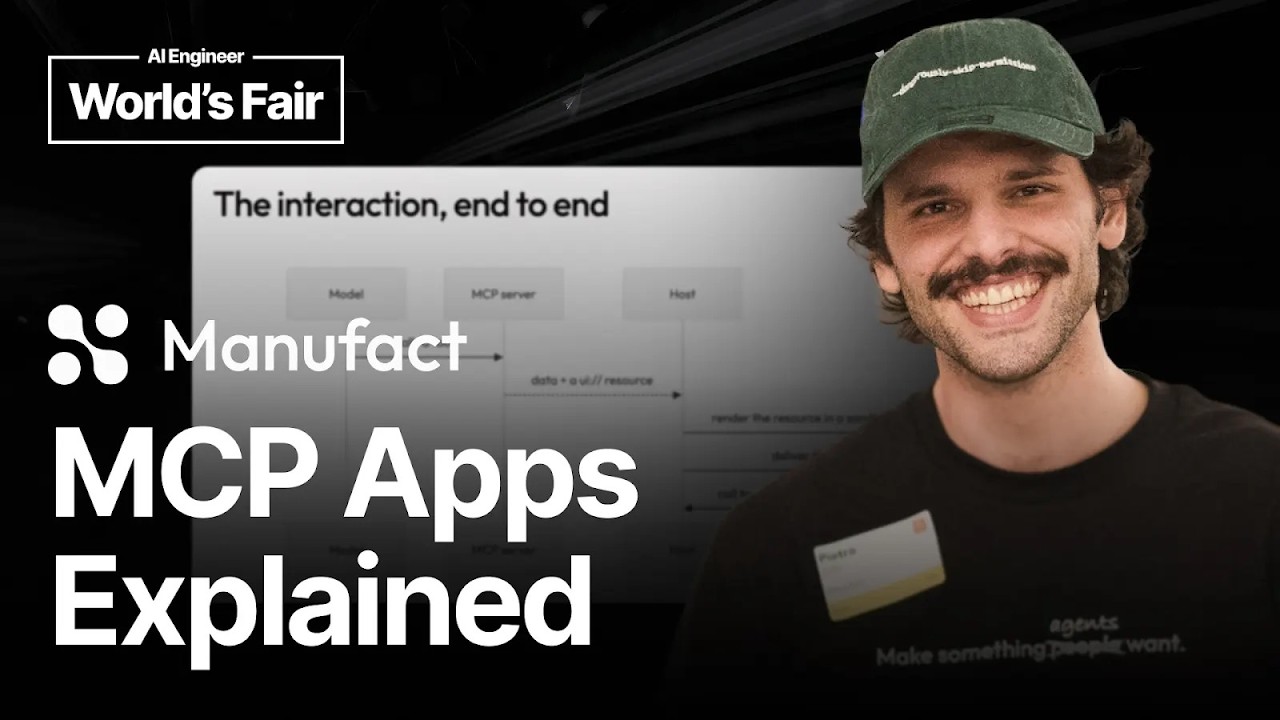
So how do MCP Apps actually work? A good example is that maybe we have a user. We start by the user asking a question. So they'll send a prompt. Maybe they'll say, "Show me analytics." And the agent or the LLM is going to decide which tools to call using the MCP server.
It'll connect and then decide on a tool. And then the server is going to return the tool results with a UI, a resource reference. So MCP has MCP resources, and this reference will point to an HTML element that is stored that the server has generated.
Then the host, so not the client, it wouldn't be GitHub Copilot, but the host, which is VS Code, is going to fetch the HTML from that UI reference that was referenced from the server. And then the host is going to render the app inside a sandboxed iframe.
So the user at that point is able to interact with the iframe in the host, and there's really a nice separation there between the two. And then the app can call back to the server back and forth so that you have this live interaction experience.
And then the server can return fresh data, and the app will update as well. Some different use cases for MCP Apps. One, for example, is data exploration. You can think of if you are imagine if we were just typing into a chat all the time and we wanted to understand more about a data set.
It would be difficult to interact with the database. It would be difficult to always type in and ask new questions. Oh, maybe you found out information about a trend
Use Cases6:49
with the bar chart, and then you wanted to find more information about maybe some specific numbers in another chart. And actually typing in that information is going to be tiring for the user when they can just click different buttons in the UI in that way.
Another thing is e-commerce. I think this is a really great example where a user maybe in one case would want to be able to actually buy something in the chat UI. So maybe not as much in VS Code, but in other chat UIs like in OpenAI or something like that.
The user should be able to, in the chat, actually go ahead and buy and go through the entire checkout experiences in the chat. Instead of just typing out in the past, what would happen is maybe you type, you can ask your client, "Can I buy something online?"
And then it would just return links to you, and then you'd have to navigate over to the browser. What we want is to keep the user inside the chat and then have them interact and have that experience there.
Who is currently building MCP Apps? I think this is a good question to ask. Spotify is not Spotify, Shopify. Shopify is an example of a company that's currently building with MCP Apps. And I listened to a really good talk about how they're also focusing on keeping the brand experience of a company the same as if you were on the company's website.
Ecosystem8:07
If the user is in the chat, the elements that are rendered should be the same, and it should give the same brand feel. So they're really working on the UI elements that are returned so that the user can literally go through the full checkout experience, like I was mentioning, to be able to actually buy in the chat.
Another group that are using MCP Apps, like I mentioned before, is Excalidraw. That is really popularright now for maybe generating architecture diagrams or having interactive diagrams. If you go to Claude Code, for example, they have really nice MCP Apps that use Excalidraw to just generate an image visualizing things.
Figma is another company that's using MCP Apps. I can find a picture of a nice Figma MCP App rendered, but generally speaking, they have components that you can generate on the fly with MCP Apps. So I think that's all I'm going to cover, and now Liam is going to go ahead and do our live demo.
Yeah, nice one. Thank you. So everybody put their hand up when Marlene asked who's using MCP, or who knows what MCP is. Who's using MCP Apps already?
Demo Setup9:36
Okay, there's like, allright, perfect. Shout out to the back if you can't see this. But essentially, an MCP App is going to allow us to really interact or stay within one context, such as VS Code. So the way that I do this is I actually borrowed a skill, which is on the model context protocol repository online.
So it's from Anthropic. I edited it a little bit, and I ran it through GitHub Copilot CLI. That allows me to spit out a number of different MCP Apps. So in this repository here, I've got a flame graph one.
That's the one we're going to be showing today. But I've got to mark down the Earth, Light, Status, Color Picker, et cetera, just the generic ones that you just go through when you're starting to build these projects. So starting with this README, you can see that there are three main parts to an MCP App.
You've got the tool, which is the LLM itself, and the host, i.e., at the moment, VS Code. You've got the resource, which is then the bundled HTML UI, which you're going to be putting together. That could be in React, that could be in Vue, whatever, however you want to render your UI.
And then you've got the link between the two. So the host and the MCP itself or the server are going to recognize this link between having the actual data response and a UI being available to render. So there's a couple of ways you can do this.
Like I said, you've got React, you've got Vanilla JS, you've got Vue, Svelte, et cetera. So you can just go through this whole skill. This is going to basically tell Copilot CLI or Claude or whatever AI tooling that you're using how to run this or what to do when it comes to running this skill.
It's going to set it up in a certain way, and it's going to tell you exactly how to run it as well and how it should be run with code examples, such as handlers, tool visibility. So whether it's just the model that can call the application, whether it's the model and the app, or whether it's just the app.
So that's who invokes the tool at any given point. So for this example, I'm going to be using a Go file. I'm a Go engineer. I write a lot of Go code. But all I really care about in here is a bubble sort algorithm.
So just comparing an array of values together, pretty standard in any coding interview. And then we've got the Fibonacci sequence as well, so n plus 1. This is like big O. So essentially, just adding to the next one before it.
What I'm doing there is I'm going to use an MCP server to profile the application code over five seconds to see where's the time being spent most in this application, as any profiling would do. This is using Go pprof, so the underlying profile that you get in Go.
But essentially, the MCP server is running a local host. This is the entry point in here. It's just a server that I'm running locally. That then calls out to the server TypeScript. This is all written in TypeScript as per the skill that was enabled.
Of this entire file, this is the one that really matters the most, where the MCP is going to bundle up my Go program, run it, profile it, and spit out some data. And it's at that point that the UI is then linked to the MCP server itself to render the front end.
Over here, we have the React App flame app, which is using hooks in React. And in here, we can see that we are going to look at the receiving the tool input. We've got the results. We've got
where it's spending basically most of its time and the flame graph itself. So who here has used flame graphs or touched them or kind of know? Basically, it's a very nasty bit of data you get out at the end, and it's all jumbled up.
Flame Graph13:03
This is a really nice way to profile and see how it's working. So I'm going to open up GitHub Copilot and make sure my MCP server is running. I have it installed here, and there is one tool for it.
So profile the app. Hopefully, if I go and ask GitHub Copilot, and it should still be working, it should recognize that it needs to call the tool itself. So we'll just give this just a moment to run. There we go.
It's noticed I've got the flame graph profiler installed. Should be using this. Loading the MCP app.
Give it just one second to load. There we go. We can close this. Here, this is what an MCP App is really looking like inside the chat window. So it's rendered out a UI in an iframe. We can look at the top functions and the summary of how this is running.
This can be edited and run down and sort of massaged as you want to make it fit your chat window. And then it's pretty big. But this gives a general overview of exactly what they're looking like and how you can message them.
Typically, what I would be doing with this data is asking my AI models, is this good? Is this bad? Where am I spending my time? There's a lot of back and forth. With a UI app that we have inside an iframe, you are just eliminating that.
You're absolutely getting rid of it. You just have it all available to you in here. So you can see where it's spending most of its time in the functions, et cetera, et cetera. So that's a really good way to use it.
Sandboxing14:23
Now, I wrote a very rudimentary drawing, which was a little bit better on Marlene's slide here. But essentially, what I've done is I said, profile my application. That has been sent to the LLM model, which has then said, oh, I need to call this tool.
The MCP server's run, gives me back some JSON data, passed it to the host. The host has recognized that there's a resource to link, and therefore, it has been rendered in an iframe in the chat window. The reason we're doing this in an iframe or the why the iframe is the same reason that you put a hamster in a cage,right?
You don't let it loose in your room. It's just going to chew things up. You don't want this application to interact with your VS Code settings, any APIs, anything external, all of that kind of stuff. So you want to keep it all contained inside the chat window.
That's the reason why it's in an iframe. And I believe that is actually at time now. So I guess, Marlene, anything else?
Nope. Microsoft is here. GitHub has a booth on the fourth floor, on the third floor. So, oh, at the back, need to be in the camera. But GitHub has a booth available. We also have Microsoft Build this year that's really going to be focusing on code, and we'll have a bunch of workshops.
Closing15:16
It's going to be on the 3rd to the 6th, I think, of June. So we'd invite you to come by either our booth at GitHub or to check out Microsoft Build as well online. But yeah, thanks for joining us.
Thank you.